About Selvect
Business management software for the people who quote, make, deliver and keep the books. Selvect brings the day-to-day work into one company workspace, so teams can work from shared records.
Your company, your workspace
Each company keeps its own records, people, branding and subscription. An account can belong to up to three companies; select the company you want to work in after signing in.
A shared view of the work
Sales, Workshop, Field, Inventory and Accounting support handoffs between teams. My Work gives each person a place for tasks, time, announcements and team chat.
Access that follows responsibility
Your package and enabled dashboards determine the available areas. Roles control viewing, editing, approval and deletion. Company membership does not automatically grant access to every record.
Getting started
Your first day with Selvect.
- 1
Create your account
Choose a package, enter your name, email and password, then confirm your email. You can also use the available Google sign-in option.
- 2
Set up your company
Create a workspace, choose its country and industry, and add your company details, logo and colours. Your seven-day trial starts when the company is created.
- 3
Choose dashboards and invite people
Turn on the dashboards included in your package and give staff the roles they need. Email invitations identify the employee and open the invited company after password setup or sign-in.
- 4
Work together
Add clients, quotations, jobs, stock and payments. Changes refresh across company screens, and permissions determine who can view, edit, approve or delete.
Inside the workspace
See the bigger picture.
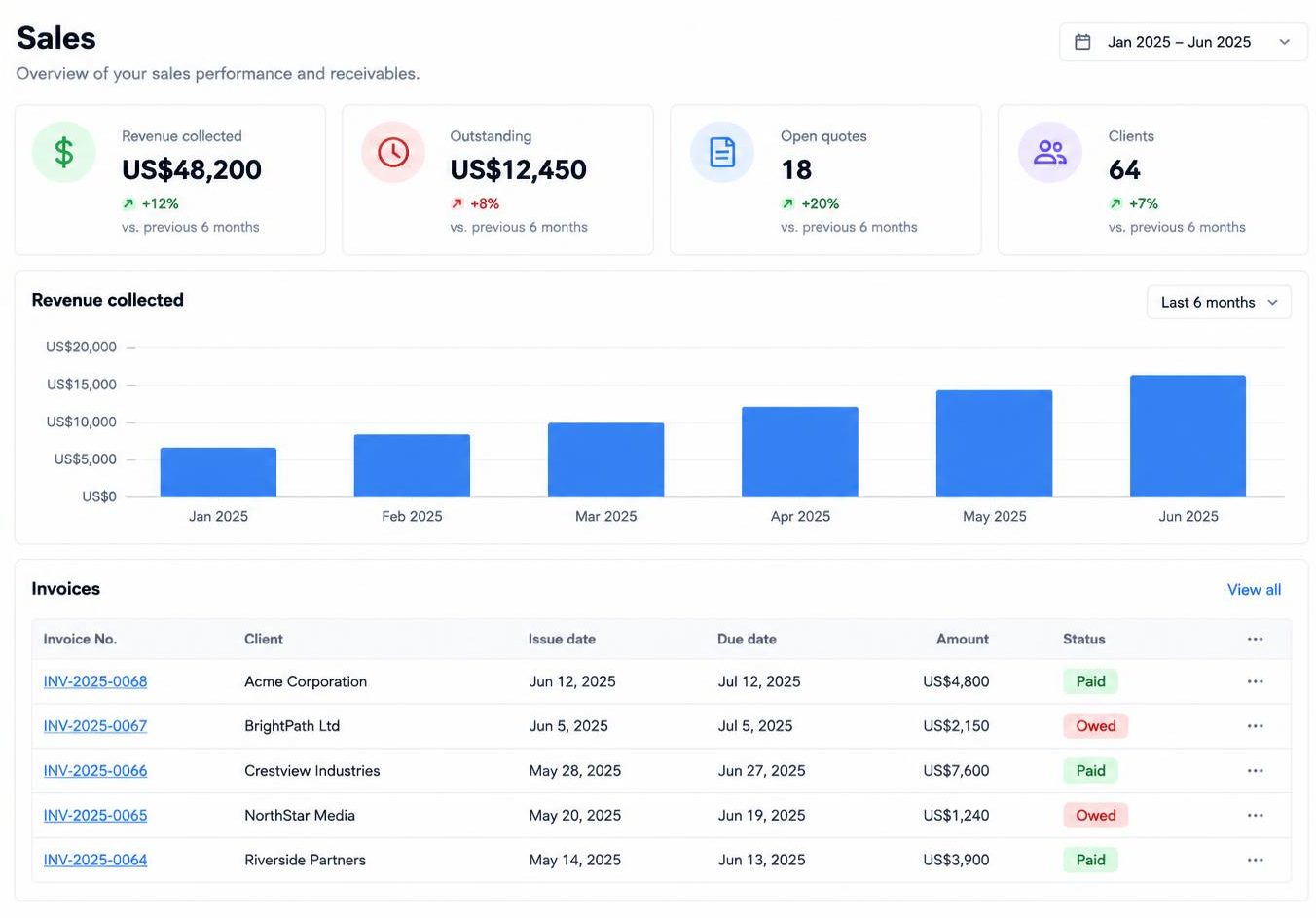
01 / 04
Sales
Follow the customer relationship from the first enquiry to the final receipt.
Illustrative dashboard preview · sample data, not a live company
Explore every dashboardHow the work connects
From the first quote to the final payment.
01
Client & quotation
Sales records the client, prepares a quotation and follows its status.
02
Staff approval
Authorised staff approve work, linking it to sales orders, jobs and draft invoices.
03
Job & stock
Workshop and Field track delivery. Stock-linked invoices deduct items when they leave draft.
04
Payment & receipt
Record payments, including partial payments, and issue receipts against the invoice.
05
Books & performance
Review mapped financial records in Accounting and company trends in Company overview.
Teams still review, approve and record their work. Which stages you use depends on your business and enabled dashboards.
Make it your own
Set up around the way you work.
Choose your country and industry, add your company logo and colours, and configure your product lines, Workshop work types and document details. Switch off a dashboard after reviewing the unfinished-work warning; its saved information stays in the company.
Use Selvect in a browser on a laptop, phone or tablet with an internet connection. Keep a backup of important records, and let your accountant review how your financial records should be classified.
Explore dashboard detailsBased in Zimbabwe. Open to companies worldwide.
Find us in Harare, Zimbabwe. Company country and currency choices support businesses in different places; subscriptions are billed in USD. Payment availability depends on the checkout provider.
support@selvect.comReady when you are
Start your company’s next chapter.
Seven days to try Selvect. Choose a package that fits your team.